How Computers Work: Simple Guide for Kids

Computers are everywhere—from schools and homes to hospitals and space stations. Understanding how computers work can seem complicated, but with a simple guide, kids can learn the basics in a fun and engaging way. Learning about computers helps children develop problem-solving skills, logical thinking, and curiosity about technology.

Why Kids Should Learn About Computers:

Computers play an essential role in modern life. Learning how computers work helps children understand the world around them, improve digital literacy, and prepare for a future in technology. Kids who understand computers are better equipped to solve problems, code, and explore new creative ideas.

The Role of Parents and Educators:

Parents and teachers can make computer learning fun by using visual aids, hands-on activities, and kid-friendly explanations. Encouraging children to ask questions and explore safely builds confidence and enhances understanding of complex concepts.

Basic Parts of a Computer:

A computer has many components that work together to perform tasks. Understanding the main parts is the first step in learning how computers work.

Central Processing Unit (CPU):

The CPU is the brain of the computer. It processes instructions, performs calculations, and tells other parts of the computer what to do. Kids can think of it as the boss who manages everything inside the computer.

Memory (RAM and Storage):

  • RAM (Random Access Memory): Temporary memory that stores information while the computer is running.

  • Storage (Hard Drive or SSD): Permanent memory where files, programs, and games are saved.

Input Devices:

Input devices let kids communicate with the computer. Examples include:

  • Keyboard for typing

  • Mouse for clicking and selecting

  • Touchscreen for tapping and swiping

Output Devices:

Output devices show the results of the computer’s work. Examples include:

  • Monitor for displaying images and videos

  • Printer for producing physical copies

  • Speakers for sound

How Computers Process Information:

Computers follow a simple cycle called Input → Process → Output:

  1. Input: The user gives commands or information through input devices.

  2. Process: The CPU processes the data using memory and instructions from programs.

  3. Output: The computer displays the result through output devices.

This cycle happens millions of times per second, allowing computers to run games, apps, and websites instantly.

Software vs. Hardware:

  • Hardware: The physical parts of the computer like the CPU, monitor, and keyboard.

  • Software: The programs and apps that tell the hardware what to do, such as games, learning apps, and web browsers.

Understanding both hardware and software helps kids see how computers operate as a complete system.

Simple Coding and Commands for Kids:

Coding is like giving instructions to the computer. Learning simple coding helps children understand how computers work and how to control them. Platforms like Scratch and Blockly make coding fun and interactive for beginners.

Fun Computer Activities for Kids:

  1. Build a Paper Computer Model: Kids can draw and label computer parts.

  2. Keyboard Games: Typing games improve familiarity with input devices.

  3. Coding Puzzles: Solve basic coding challenges using visual programming apps.

  4. Computer Exploration: Identify the parts of a real computer and explain what each part does.

How Computers Affect Our Daily Lives:

Computers help in education, entertainment, communication, and creativity. Kids use computers to play educational games, watch learning videos, draw digitally, and explore science projects. Understanding computers helps children use technology safely and responsibly.

Internet Safety Tips for Kids:

While learning about computers, it’s important to teach kids how to stay safe online:

  • Never share personal information.

  • Only visit trusted websites and apps.

  • Ask parents for help if they encounter something confusing or scary.

  • Use strong passwords with adult guidance.

Benefits of Learning Computers Early:

  • Improves problem-solving and logical thinking skills.

  • Builds confidence in using technology.

  • Encourages creativity through digital tools and apps.

  • Prepares children for future learning and STEM careers.

  • Helps children understand the digital world around them.

Conclusion:

Learning how computers work doesn’t have to be complicated for kids. By understanding the basic parts, processes, and coding concepts, children can explore technology confidently and safely. Parents and educators can make computer learning fun through hands-on activities, interactive apps, and real-life examples. Early exposure to computers inspires curiosity, creativity, and prepares kids for a digital future.

Advertisement
What Is the Solar System for Kids?
Have you ever looked at the night sky and wondered about the stars, planets, and the Sun? All of these belong to our solar system, a fascinating place full of planets, moons, and other space objects. This kids science story explains the solar system in a simple and fun way, helping children learn about the planets, the Sun, and how everything moves in space. The Sun – Our Bright Star: The Sun is the center of our solar system. It is a huge ball of hot gas that gives us light and heat. Without the Sun, life on Earth would not be possible. All the planets, moons, asteroids, and comets revolve around the Sun because of its strong gravity. The Sun is like a giant magnet holding the solar system together. The Planets of the Solar System: There are eight planets in our solar system. They are divided into two groups: 1. Inner Planets (Rocky Planets): Mercury: Smallest planet, closest to the Sun. Venus: Very hot and bright in the sky. Earth: Our home, the only planet known to have life. Mars: Known as the Red Planet because of its color. 2. Outer Planets (Gas Giants and Ice Giants): Jupiter: Largest planet, famous for its big red spot. Saturn: Known for its beautiful rings. Uranus: Rotates on its side and has faint rings. Neptune: A blue planet, farthest from the Sun. Each planet has unique features, and some even have moons that orbit around them. Other Objects in the Solar System: Besides planets, the solar system has many other objects: Moons: Natural satellites that orbit planets. Asteroids: Rocky objects mostly found in the asteroid belt between Mars and Jupiter. Comets: Icy objects that form bright tails when near the Sun. Meteoroids: Small rocks that sometimes enter Earth’s atmosphere as shooting stars. All these objects move in space, creating an amazing cosmic dance around the Sun. Fun Experiments to Learn About the Solar System: Kids can try these activities to understand the solar system: Make a model of the solar system using balls and paint. Use a lamp as the Sun and small balls as planets to see how planets orbit. Watch documentaries or planetarium videos to explore space. These activities make learning about planets fun and interactive. Why the Solar System Is Important: Learning about the solar system helps children: Understand Earth’s place in the universe Learn how planets, moons, and the Sun work together Encourage curiosity about space and science Explore science in a fun and imaginative way The solar system shows how everything in space is connected by gravity and movement. Moral of the Story: The solar system is a fascinating family of planets, moons, and stars revolving around the Sun. Understanding it teaches kids about space, science, and our place in the universe. Why Kids Should Read This Story: This simple science story for kids helps children: Learn about the planets and the Sun in an easy way Understand the solar system and its objects Develop curiosity and love for astronomy Explore space through fun activities and experiments Parents and teachers can use this story as a classroom lesson or bedtime science story. Final Message: 🌞 Our solar system is full of wonders — explore the planets, moons, and stars, and discover the magic of space! 🌞
The Hardworking Ant Story
Once upon a time, in a green meadow, there lived a small but very hardworking ant named Andy. Andy loved to work every day, gathering food and building his little home. He was determined, patient, and smart, and all the other insects in the meadow admired him. Andy the Ant’s Daily Routine: Andy had a busy day ahead: He would collect tiny grains of food to store for the winter. He helped his fellow ants carry leaves and twigs to strengthen their nest. Every day, he reminded himself: “Hard work today makes life easier tomorrow!” Even when the sun was hot or the rain was pouring, Andy continued working tirelessly. The Lazy Grasshopper: One sunny morning, a lazy grasshopper named Greg hopped by and laughed at Andy: “Why do you work so hard, Andy? The sun is shining! Come and play with me instead!” Andy smiled and replied: “I like to play too, Greg, but if I don’t prepare today, I will have nothing to eat when winter comes.” The Hard Work Pays Off: As days passed, Andy collected many grains, seeds, and leaves. His nest became strong and full of food. Meanwhile, Greg enjoyed playing every day, singing and jumping around. When winter arrived, Andy had plenty of food, while Greg found himself cold and hungry. He went to Andy and asked for help. Andy shared his food but also taught Greg an important lesson: “Hard work today helps us live comfortably tomorrow. Playing is fun, but we must also prepare for the future.” Moral of the Story: Hard work always pays off. Prepare for the future. Balance work and play. Helping others is kind, but learning responsibility is important. This story teaches children the value of discipline, responsibility, and planning ahead. Fun Activities with the Story: 1. Ant Nest Craft: Use paper, leaves, and sticks to make a small ant nest. Children can pretend to gather food like Andy. 2. Story Role Play: Assign roles: Andy the ant, Greg the grasshopper, and other insects. Act out the story to understand hard work and planning. 3. Discussion Questions: Why did Andy work hard? What happened to Greg because he didn’t prepare? How can we balance work and play in our daily life? 4. Counting Game with Grains: Use grains, beans, or small objects and ask children to collect and count them, like Andy storing food. This teaches numbers, counting, and responsibility. Story Extension: Andy Teaches Others: Andy’s friends noticed how prepared he was. He began teaching other ants and insects how to gather food, store it safely, and build strong nests. Soon, the whole meadow became organized and prepared for winter, and everyone was happy and healthy. Lesson: Hardworking habits can inspire others to be responsible too. Tips for Kids to Learn from Andy: Set Small Daily Goals: Just like Andy collected a little each day. Be Consistent: Work a little every day, even when it’s hard. Plan Ahead: Think about what you need in the future. Help Others: Share your knowledge and resources with friends. Conclusion: The story of The Hardworking Ant teaches children about discipline, responsibility, and foresight. Andy’s example shows that consistent effort, patience, and planning can make life easier and happier. By acting out the story, doing fun activities, and discussing the moral, children learn important life lessons in an engaging way.
Fun Science Projects for School Kids
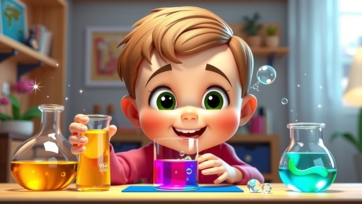
Science projects are a fantastic way for school kids to explore, experiment, and learn about the world around them. They combine creativity, observation, and problem-solving skills, making learning both fun and educational. In this article, we will explore fun science projects for school kids that are simple, engaging, and perfect for the classroom or home. Why Science Projects Are Important for Kids: Science projects help children understand concepts better than reading or memorizing alone. They encourage hands-on learning and critical thinking. Benefits of science projects include: Enhancing curiosity and creativity Developing problem-solving and analytical skills Building teamwork and communication skills Making science fun and interactive Encouraging a lifelong love for learning Simple and Fun Science Project Ideas for School Kids: 1. Volcano Eruption Model: Materials Needed: Baking soda, vinegar, clay or paper-mache Project Idea:Create a volcano and make it erupt using baking soda and vinegar. What Kids Learn:Chemical reactions and gas release in a safe, fun way. 2. Homemade Water Filter: Materials Needed: Sand, gravel, cloth, bottle, dirty water Project Idea:Build a simple water filter and clean dirty water. What Kids Learn:Filtration, water purification, and environmental science. 3. Solar Oven Experiment: Materials Needed: Cardboard box, aluminum foil, plastic wrap, food Project Idea:Make a solar oven to cook or melt small snacks using sunlight. What Kids Learn:Solar energy, heat transfer, and renewable energy concepts. 4. Plant Growth Experiment: Materials Needed: Seeds, soil, sunlight, water Project Idea:Grow plants under different conditions (light vs. dark, water vs. no water). What Kids Learn:Photosynthesis, plant biology, and observation skills. 5. Balloon Rocket Race: Materials Needed: Balloon, string, straw, tape Project Idea:Make a balloon rocket and see how far it can travel along a string. What Kids Learn:Newton’s laws of motion, air pressure, and forces. Creative Physics Projects for Kids: 6. Paper Bridge Challenge: Materials Needed: Paper, tape, small weights Project Idea:Build a bridge using only paper and test how much weight it can hold. What Kids Learn:Engineering, force, balance, and design skills. 7. Floating and Sinking Experiment: Materials Needed: Water, different objects like coins, cork, sponge Project Idea:Predict which objects float and which sink in water. What Kids Learn:Density, buoyancy, and scientific prediction. 8. Homemade Compass: Materials Needed: Needle, magnet, cork, water Project Idea:Make a simple compass to find directions using magnetism. What Kids Learn:Magnetic fields and navigation basics. Fun Chemistry Projects for Kids: 9. Color-Changing Milk Experiment: Materials Needed: Milk, food coloring, dish soap Project Idea:Add soap to colored milk and watch colors move and mix. What Kids Learn:Surface tension, chemical reactions, and observation. 10. Growing Crystals: Materials Needed: Salt or sugar, hot water, jar, string Project Idea:Grow crystals and observe their shapes over days. What Kids Learn:Crystallization, solubility, and patience in experiments. Earth and Environmental Science Projects: 11. Mini Rain Cloud Experiment: Materials Needed: Jar, water, shaving cream, food coloring Project Idea:Create a cloud in a jar and watch colored “rain” fall. What Kids Learn:Water cycle, weather, and cloud formation. 12. Recycling Paper Project: Materials Needed: Old paper, water, blender, mesh Project Idea:Recycle old paper into new sheets and decorate them. What Kids Learn:Recycling, sustainability, and environmental responsibility. How to Make Science Projects More Fun and Educational: Use Everyday Materials: Kids can experiment at home with simple items. Encourage Predictions: Let them guess what will happen before starting. Observe and Record: Teach kids to take notes, draw diagrams, and track results. Connect to Real Life: Explain how the project relates to nature, technology, or daily life. Show Creativity: Let kids decorate and personalize their projects. What Kids Learn from Science Projects: By doing science projects, kids develop: Critical thinking and problem-solving Observation and analytical skills Creativity and innovation Teamwork and communication A love for learning and exploration Science projects are a fun way to make learning interactive and memorable. Conclusion: Science projects are more than just school assignments—they are gateways to discovery and curiosity. From erupting volcanoes to growing crystals, fun science projects for school kids make learning exciting, educational, and inspiring. By exploring, experimenting, and observing, children develop skills that will help them succeed in school and beyond.
Fun Educational Apps for Kids
Educational apps for kids are a great way to combine learning and fun. In today’s digital world, children can explore new concepts, practice skills, and develop creativity through interactive apps. Fun educational apps make learning engaging, improve problem-solving abilities, and strengthen critical thinking, all while keeping children entertained. Why Educational Apps are Important for Kids: Educational apps provide children with opportunities to learn at their own pace. They enhance literacy, math, science, and social skills in a playful environment. Kids who use educational apps develop curiosity, attention span, and confidence in their abilities. These apps also complement traditional learning at school or home, making education more dynamic and interactive. The Role of Parents and Educators: Parents and teachers play an essential role in guiding children to use educational apps effectively. Setting time limits, choosing age-appropriate apps, and discussing the concepts learned can enhance the benefits. Active participation by adults ensures children use technology responsibly and learn valuable lessons. Categories of Fun Educational Apps: Educational apps come in many varieties. Different apps cater to different learning styles, age groups, and subjects. Math and Logic Apps: Math apps make numbers and problem-solving fun. Children can practice addition, subtraction, multiplication, and division through games, quizzes, and interactive challenges. Logic-based apps improve critical thinking, pattern recognition, and decision-making skills. Reading and Literacy Apps: Reading apps help children develop vocabulary, pronunciation, and comprehension skills. Storytelling apps allow kids to read or listen to stories, interact with characters, and complete reading challenges. These apps foster a love for books and language learning. Science and Exploration Apps: Science apps encourage curiosity about the natural world. Kids can explore planets, animals, plants, and experiments in a hands-on, interactive way. Apps with simulations, videos, and quizzes make learning complex concepts easier and more enjoyable. Creative and Arts Apps: Art, music, and creativity apps let kids express themselves freely. Children can draw, paint, create music, or design projects digitally. These apps help improve imagination, hand-eye coordination, and self-expression. Creative apps also promote relaxation and stress-free learning. Coding and STEM Apps: Coding apps introduce kids to programming in a fun way. Interactive platforms teach basic coding concepts through games, puzzles, and robot control. STEM (Science, Technology, Engineering, Math) apps help kids develop analytical thinking, problem-solving, and technological skills. Social and Emotional Learning Apps: Some educational apps focus on emotional intelligence, empathy, and social skills. Children learn to manage emotions, resolve conflicts, and understand feelings through interactive stories and games. Social-emotional learning apps are important for personal growth and positive relationships. How to Choose the Best Educational Apps for Kids: Selecting the right app is crucial to maximize learning benefits. Consider the following factors: Age Appropriateness: Ensure the app content matches the child’s age and developmental stage. Engaging Design: Look for apps with interactive visuals, animations, and fun challenges. Educational Value: The app should teach skills or concepts effectively while keeping the child engaged. User-Friendly Interface: Simple navigation allows children to use the app independently. Parental Controls: Apps with monitoring options ensure safe and responsible usage. Tips for Parents to Make App Learning Effective: Set Time Limits: Screen time should be balanced with physical play and offline activities. Participate Together: Explore apps with your child to encourage learning and interaction. Discuss Learnings: Ask questions about what your child learned and how they applied it. Combine with Real-Life Activities: Reinforce concepts from apps through hands-on experiments or outdoor exploration. Update Apps Regularly: Choose apps with frequent updates, new features, and improved content. Benefits of Educational Apps for Kids: Educational apps provide numerous advantages: Enhances cognitive development and critical thinking. Improves literacy, numeracy, and STEM skills. Encourages creativity and imagination. Builds independence and problem-solving abilities. Makes learning fun and engaging, reducing stress. Popular Educational Apps Recommended for Kids: Khan Academy Kids: Offers lessons in math, reading, and social-emotional learning. ABCmouse: A comprehensive learning app with interactive lessons for early learners. Duolingo ABC: Helps children develop reading skills with fun exercises. ScratchJr: Introduces coding concepts with interactive storytelling and games. Toca Boca Series: Creative apps focused on role-playing, arts, and imaginative play. BrainPOP Jr.: Covers science, math, and social studies through animated lessons. Conclusion: Fun educational apps for kids provide an exciting way to learn essential skills while enjoying playtime. When chosen carefully and used mindfully, these apps foster creativity, critical thinking, and problem-solving abilities. Parents and educators can maximize the benefits by guiding children, combining app learning with real-world experiences, and encouraging curiosity. Embracing technology responsibly helps children develop a love for learning that lasts a lifetime.
What Is Gravity? Simple Science for Kids
Have you ever wondered why when you jump, you always come back down? Or why apples fall from trees? This happens because of a magical force called gravity! This kids science story explains gravity in a simple and fun way, helping children understand one of the most important forces in the universe. Gravity Keeps Us on the Ground: Gravity is an invisible force that pulls objects toward each other. The most important gravity we feel every day comes from the Earth. It keeps our feet on the ground and stops us from floating into the sky! Imagine trying to walk, jump, or play without gravity — everything would float around, and it would be very hard to do normal things. Gravity and Falling Objects: If you drop a ball, it falls to the ground. Why? Because gravity pulls it down. Even water, books, and leaves fall because of gravity. This force is everywhere and works all the time, even when we cannot see it. Fun Fact: Sir Isaac Newton, a smart scientist, discovered gravity when he saw an apple fall from a tree. He realized the Earth was pulling the apple toward itself with a force — we now call it gravity! Gravity in Space: Gravity doesn’t only exist on Earth. Planets, stars, and moons also have gravity. The Earth pulls the Moon and keeps it circling around us. The Sun’s gravity keeps the planets, including Earth, moving around it. Without gravity, the Moon would drift away, and life on Earth would be very different. Gravity and Everyday Life: Gravity helps us in many ways: Walking and running: Keeps us on the ground Playing sports: Helps balls fall and bounce Water and rain: Pulls water down to Earth Keeping oceans in place: Stops water from floating into space Even though we cannot see gravity, we feel it all the time in our daily activities. Experiments to See Gravity: Kids can try simple experiments to understand gravity: Drop a ball from a chair and see it fall. Drop different objects like a pencil, apple, or leaf and notice how gravity pulls them down. Jump up and down and feel gravity pull you back to the ground. These experiments show that gravity works everywhere and affects everything, big or small. Why Gravity Is Important: Gravity is essential for life. Without it: Water would not stay in rivers and oceans Plants and trees couldn’t grow properly Animals and humans would float away The Earth and Moon would drift apart Gravity keeps our world balanced and safe. Moral of the Story: Gravity is a magical force that pulls objects together and keeps everything in place. Understanding gravity helps kids learn science in a fun and exciting way. Why Kids Should Read This Story: This simple science story for kids helps children: Learn about gravity in an easy-to-understand way Discover how science affects everyday life Encourage curiosity and experimentation Build a love for science and learning Parents and teachers can use this story to teach basic physics and science concepts in a fun and engaging way. Final Message: 🌍 Gravity is invisible, powerful, and everywhere — it keeps us safe, helps us move, and makes our world work perfectly! 🌍
Amazing Facts About Lions
Lions are one of the most fascinating animals in the wild. Known as the kings of the jungle, they are admired for their strength, courage, and majestic appearance. Learning about lions helps children understand nature, wildlife, teamwork, and survival skills. This article will explore amazing lion facts, fun stories, games, and activities that make learning about lions exciting and interactive. Why Lions Are Special: Lions are unique in many ways: They are big cats and one of the largest land predators. Lions live mostly in Africa, but some can be found in India’s Gir Forest. Lions are social animals, living in groups called prides. Their roar is so loud it can be heard up to 8 kilometers away, which helps them communicate and mark their territory. Learning about lions helps children understand animal behavior, nature, and survival strategies. Amazing Lion Facts: 1. Strong and Powerful: Adult male lions can weigh between 150–250 kilograms, while female lions are slightly smaller but are excellent hunters. Their muscular bodies allow them to run fast for short distances to catch prey. Fun Example: Imagine carrying 10–12 heavy school backpacks at once—that’s almost how strong a lion’s muscles are! 2. Life in a Pride: Unlike most big cats, lions are social animals. They live in prides that usually include 10–15 lions, with adult males, females, and cubs. Female lions work together to hunt, while male lions protect the pride from intruders. Fun Activity: Children can role-play as a lion pride, dividing roles into hunters, protectors, and cubs to understand teamwork. 3. Lion Cubs: Lion cubs are born small and blind, weighing only about 1–2 kilograms. Cubs rely on their mothers for protection and food. They learn hunting skills by watching adult lions and playing with siblings. Interesting Fact: Cubs often play-fight, which helps them practice hunting and defending themselves when they grow up. 4. Hunters of the Savannah: Lions are carnivores. They mostly hunt zebras, antelopes, buffaloes, and sometimes smaller animals. Hunting is usually done at night or during early morning, when the temperature is cooler. Fun Game for Kids: Hide small toys or objects around a room and ask children to “hunt” like lions, practicing stealth and focus. 5. Lions Roar Loudly: A lion’s roar is one of the loudest sounds in the animal kingdom. Roars can travel long distances to warn other lions or intruders. Male lions roar more often than females to show dominance. Activity: Children can try roaring like lions in a safe environment. It’s fun and helps them understand how animals communicate. 6. Unique Features: Mane: Male lions have a mane to protect their neck during fights and to look bigger to rivals. Tail Tuft: Lions have a tuft at the end of their tails which helps communicate with pride members. Eyesight: Lions can see six times better at night than humans, which helps in hunting. Fun Lion Stories for Kids: Story 1: Leo the Brave Cub: Leo was a small lion cub who wanted to learn how to roar like his father. He practiced every day, even when he was shy. Soon, he could roar loudly enough to protect his pride from intruders. Lesson: With courage, practice, and guidance, children (and cubs!) can become confident and strong. Story 2: The Lion Who Shared: In a forest, a lion found a large piece of meat. Instead of eating it alone, he shared it with his cubs and a few weaker animals nearby. Everyone was grateful, and the lion became loved and respected in the forest. Lesson: Sharing and kindness make you a hero, even in the animal kingdom! Fun Activities to Learn About Lions: 1. Lion Drawing Activity: Draw a lion with its mane, tail, and paws. Use golden, brown, and yellow colors to make it realistic. 2. Lion Role Play Game: Children can act as lions in a pride. Assign roles like hunters, protectors, and cubs. This helps kids understand teamwork and responsibilities in nature. 3. Lion Sound Game: Children can imitate lion roars, practicing volume and expression. It teaches communication and fun observation skills. 4. Lion Fact Hunt: Write interesting lion facts on cards and hide them around the room. Children find and read aloud the facts, combining physical activity with learning. Interesting Lion Comparisons for Kids: A lion can run up to 80 km/h, but only for short distances. That’s faster than most cars in the village! Lions sleep for 16–20 hours a day, conserving energy for hunting. A lion’s heart is very strong, pumping blood to support their massive muscles. Activity: Children can compare their daily activities with lions—sleep, eat, play, and run—to understand animal habits. Conclusion: Lions are amazing, strong, and social creatures. They teach children about courage, teamwork, responsibility, and survival. By exploring lion facts, playing role games, drawing, and acting out stories, kids can learn about nature in an interactive and exciting way. Learning about lions helps children appreciate wildlife and develop curiosity, empathy, and respect for animals.
Learn About the Solar System for Kids
The solar system is a fascinating place full of planets, moons, the Sun, and many other space objects. Children are naturally curious about the sky, stars, and planets they see at night. Learning about the solar system helps kids understand how Earth fits into the universe and builds interest in science from an early age. In this article, we will learn about the solar system for kids in a fun, simple, and easy-to-understand way. What Is the Solar System and Why Is It Important: The solar system is made up of the Sun and all the objects that travel around it. These include planets, moons, asteroids, comets, and dwarf planets. Learning about the solar system is important for kids because it: Teaches basic space and science concepts Builds curiosity and imagination Helps children understand Earth’s position in space Encourages interest in astronomy and exploration The Sun – The Center of the Solar System: The Sun is a huge star located at the center of the solar system. It provides light and heat, making life on Earth possible. The Sun is important because: It gives energy to plants and animals It keeps planets in their paths using gravity It controls day and night on Earth Even though the Sun looks small, it is actually very large compared to Earth. Planets of the Solar System Explained for Kids: There are eight planets in the solar system. Each planet is unique and interesting in its own way. Mercury – The Closest Planet to the Sun: Mercury is the smallest planet and moves very fast around the Sun. It has no air and experiences extreme temperatures. Venus – The Hottest Planet: Venus is very hot because its thick atmosphere traps heat. It is sometimes called Earth’s twin because of its size. Earth – Our Home Planet: Earth is the only planet known to support life. It has water, air, and the right temperature for living things. Mars – The Red Planet: Mars appears red because of iron dust on its surface. Scientists are studying Mars to find signs of water and life. Jupiter – The Largest Planet: Jupiter is the biggest planet in the solar system. It has a giant storm called the Great Red Spot. Saturn – The Planet with Rings: Saturn is famous for its beautiful rings made of ice and rock. It is a gas giant like Jupiter. Uranus – The Sideways Planet: Uranus spins on its side, making it unique. It has a cold and windy atmosphere. Neptune – The Farthest Planet: Neptune is very far from the Sun and is extremely cold. It has strong winds and storms. Moons, Asteroids, and Other Space Objects: Moons: Moons are natural objects that orbit planets. Earth has one moon, while some planets have many. Asteroids: Asteroids are rocky objects found mostly between Mars and Jupiter. Comets: Comets are made of ice and dust. When they get close to the Sun, they glow and form a tail. Dwarf Planets: Dwarf planets, like Pluto, are smaller than regular planets but still orbit the Sun. How Planets Move Around the Sun: Planets travel around the Sun in paths called orbits. This movement is caused by gravity. This motion helps kids understand: Why we have seasons Why a year has 365 days How day and night happen Fun Facts About the Solar System for Kids: The Solar System Is Very Big: It would take many years to travel across the solar system. Some Planets Have Many Moons: Jupiter and Saturn have dozens of moons. You Cannot Stand on Gas Giants: Planets like Jupiter and Saturn are made mostly of gas, not solid ground. The Sun Contains Most of the Solar System’s Mass: Almost all the mass of the solar system is inside the Sun. Simple Activities to Help Kids Learn About the Solar System: Make a Planet Model: Use balls or clay to make planets in order. Create a Solar System Chart: Drawing and labeling planets helps memory. Watch the Night Sky: Observing stars and the Moon makes learning real. What Kids Learn from Studying the Solar System: By learning about the solar system, kids develop: Scientific thinking Curiosity about space Understanding of gravity and motion Appreciation for Earth Conclusion: The solar system is an exciting and amazing topic for children. From the powerful Sun to the distant planets, every part of the solar system has something special to learn. Teaching kids about the solar system helps build curiosity, knowledge, and a love for science. With simple explanations and fun facts, learning about space becomes an enjoyable adventure for every child.
Healthy Eating Habits for Kids
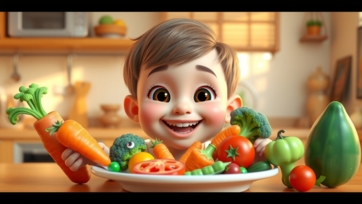
Teaching kids healthy eating habits is essential for their growth, energy, and overall well-being. Good nutrition helps children develop strong bones, a healthy immune system, and the ability to focus in school. Introducing healthy foods and making mealtime fun encourages lifelong positive habits. Why Healthy Eating is Important for Kids: Healthy eating provides essential nutrients, vitamins, and minerals for physical and mental development. Kids who eat a balanced diet have more energy, better concentration, and stronger immunity. Early exposure to fruits, vegetables, whole grains, and proteins builds a foundation for healthy eating patterns that last a lifetime. The Role of Parents and Caregivers: Parents are role models when it comes to food choices. Children imitate adult behaviors, so eating nutritious meals and involving kids in meal preparation encourages healthy habits. Caregivers can make mealtime enjoyable and educational by discussing the benefits of different foods. Essential Nutrients for Growing Kids: Children need a variety of nutrients to grow properly and stay healthy. Proteins: Proteins help build muscles, repair tissues, and support growth. Good sources include eggs, beans, fish, chicken, and dairy products. Fruits and Vegetables: Fruits and vegetables provide vitamins, minerals, and fiber. Encourage colorful plates with a mix of leafy greens, berries, carrots, and other seasonal produce. Whole Grains: Whole grains like oats, brown rice, and whole wheat bread provide energy and aid digestion. They keep children full and focused during the day. Dairy Products: Milk, cheese, and yogurt are rich in calcium and vitamin D, which are vital for strong bones and teeth. Tips for Encouraging Healthy Eating: Creating positive food habits in children requires creativity and patience. Make Meals Fun: Use colorful plates, cut fruits into shapes, and create fun food art. Visual appeal encourages children to try new foods. Involve Kids in Cooking: Children are more likely to eat healthy meals if they help prepare them. Simple tasks like washing vegetables or stirring ingredients make cooking exciting and educational. Set a Routine: Regular meal and snack times help children develop consistent eating habits. Avoid skipping meals or relying on junk food. Limit Sugary and Processed Foods: Reduce candy, chips, and soda. Offer healthier alternatives like fruit smoothies, nuts, or yogurt with honey. Healthy Snacks for Kids: Fresh fruits like apples, bananas, or berries Vegetable sticks with hummus Whole-grain crackers or granola bars Yogurt with nuts or seeds Teaching Kids About Portion Sizes: Children should learn to recognize appropriate portion sizes. Using smaller plates, explaining serving sizes, and encouraging mindful eating helps kids avoid overeating while appreciating different foods. Role of Hydration: Drinking enough water is just as important as eating healthy foods. Water supports digestion, maintains energy, and prevents dehydration. Limit sugary drinks and promote water, milk, or natural fruit juices. Making Healthy Choices at School: Kids spend a lot of time at school, so teaching them to make healthy choices outside home is essential. Encourage: Packing balanced lunches and snacks Choosing water over soda or juice boxes Eating fruits and vegetables first Sharing healthy food ideas with friends Benefits of Healthy Eating for Kids: Strong bones, teeth, and muscles Improved concentration and energy Healthy weight management Reduced risk of illnesses Positive lifelong eating habits Conclusion: Healthy eating habits for kids are crucial for growth, learning, and overall wellness. By offering balanced meals, involving children in cooking, and making food fun and educational, parents and caregivers can encourage children to develop positive eating habits. With consistent guidance, children learn to make healthy choices that benefit their body, mind, and future.